AI Browsers Turn Search Into an API Workload
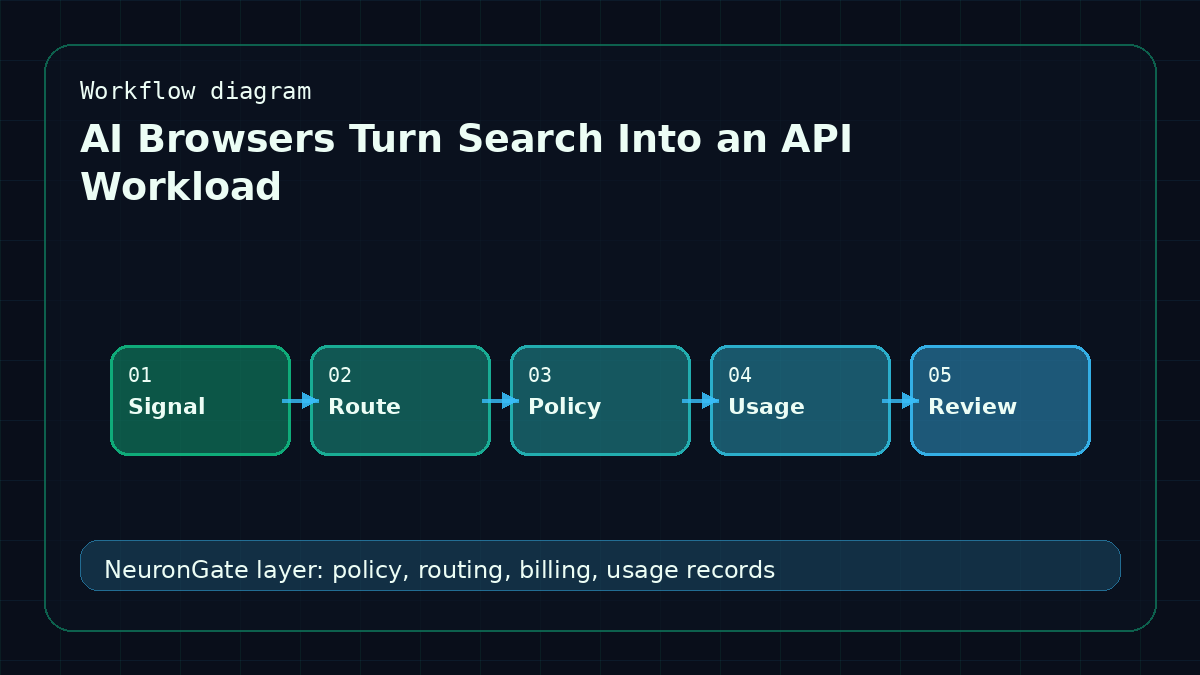
The AI browser race is making a familiar pattern visible. What used to be a search box is becoming a chain of model calls: interpret the task, search, read pages, summarize, compare, cite, and sometimes act. A browser may hide that complexity behind a clean interface, but infrastructure teams still have to pay for it.
This matters for anyone building AI products that touch the web. Browsing is not a single request. It is a workflow.
Web tasks are bursty
A user may ask one question, but the system may fetch ten pages and run multiple summarization passes. Some pages are short. Some are huge. Some are blocked or malformed. Some contain hostile instructions. The model workload is unpredictable.
That unpredictability makes spend controls important. A product needs caps, timeouts, and clear stop conditions. It should know when to use a fast model for extraction and when to use a stronger model for synthesis.
Search needs trust boundaries
Browsing agents also blur trust boundaries. The user's instruction is trusted. A random webpage is not. If a page says "ignore previous instructions," the system must treat that as external content, not a command. That is an application security issue, but the gateway can still help by logging the model calls and enforcing safe model access policies.
The more tools an agent has, the more important these boundaries become.
Summarization is a routing opportunity
Many browsing workflows are perfect candidates for tiered routing. Use a cheap model to extract structured notes from each page. Use a stronger model only for final comparison or decision-making. Use a long-context model when the source material genuinely requires it. The user gets a better answer without every step paying flagship-model prices.
This is where model metadata and per-key policy become practical. A browsing worker may need access to long-context models, but only within a monthly cap. A customer-facing chat key may not need that access at all.
Browsing makes usage visible
When users see an AI browser doing multi-step work, they intuitively understand that AI is not a magic single call. Product teams should internalize the same lesson. Every hidden step has latency, cost, and failure modes.
NeuronGate's job is to make those steps manageable. Stable APIs, usage records, routing policy, and balance checks are not exciting, but they are what keep agentic browsing from becoming an expensive black box.
Architecture boundary
The key boundary is between product logic and model operations. Product logic decides what the user is trying to do. Model operations decide which route is allowed, how much balance is reserved, whether provider health is acceptable, and how usage is settled.
When this boundary is clean, teams can add new models or providers without rewriting the product. When it is messy, every model launch becomes a hunt through environment variables, SDK wrappers, and old cron scripts.
Production readiness checklist
- Keep provider aliases out of user-facing client code.
- Store model capabilities, pricing, status, and migration notes in one catalog.
- Treat self-hosted, provider-hosted, and marketplace-routed models as route types with the same accounting rules.
- Verify the sitemap, canonical URL, article schema, and RSS feed after every content deployment.
- Review usage records after route changes to catch unexpected cost or latency drift.
FAQ
What breaks first in weak AI infrastructure?
Usually observability. The model still answers, but the team cannot explain why a route was chosen, why it cost more, or which customer keys were affected during an incident.
Why does this belong in the blog?
Infrastructure articles attract builders who already feel the operational problem. They are high-intent readers for NeuronGate because they are searching for how to make AI APIs reliable, auditable, and easier to scale.
Production architecture note
AI Browsers Turn Search Into an API Workload is an infrastructure problem because model calls now behave like product traffic, financial events, and compliance records at the same time. In July 2025, the important design question was search visibility, crawlability, article depth, source anchors, and structured data. A clean architecture puts route choice, model metadata, balance checks, and usage settlement in one layer so every application does not reinvent the same controls.
The failure mode is that the site publishes many pages, but Google sees repeated thin articles instead of helpful technical content. The growth and SEO owner should track indexed URL count, sitemap coverage, article impressions, source-link coverage, image discovery, and Search Console errors and review those signals after every route or provider change. The common mistake is optimizing for page count while ignoring intent, freshness, citations, and article quality.
Systems checklist
- Keep model IDs, aliases, prices, context windows, and status in a catalog.
- Reserve spend before the upstream call when customer balances are involved.
- Log the provider route separately from the customer-facing model name.
- Make fallback behavior explicit, including when not to retry.
- Publish clear docs so search visitors and AI answer engines can understand the route.
The strongest infrastructure articles become reference pages. They should help an engineer implement the pattern and help a buyer understand why the pattern belongs in a gateway. For implementation work, start in the docs, confirm model access in the model catalog, and keep the routing guide open while you test.