How NeuronGate Routes Every Request
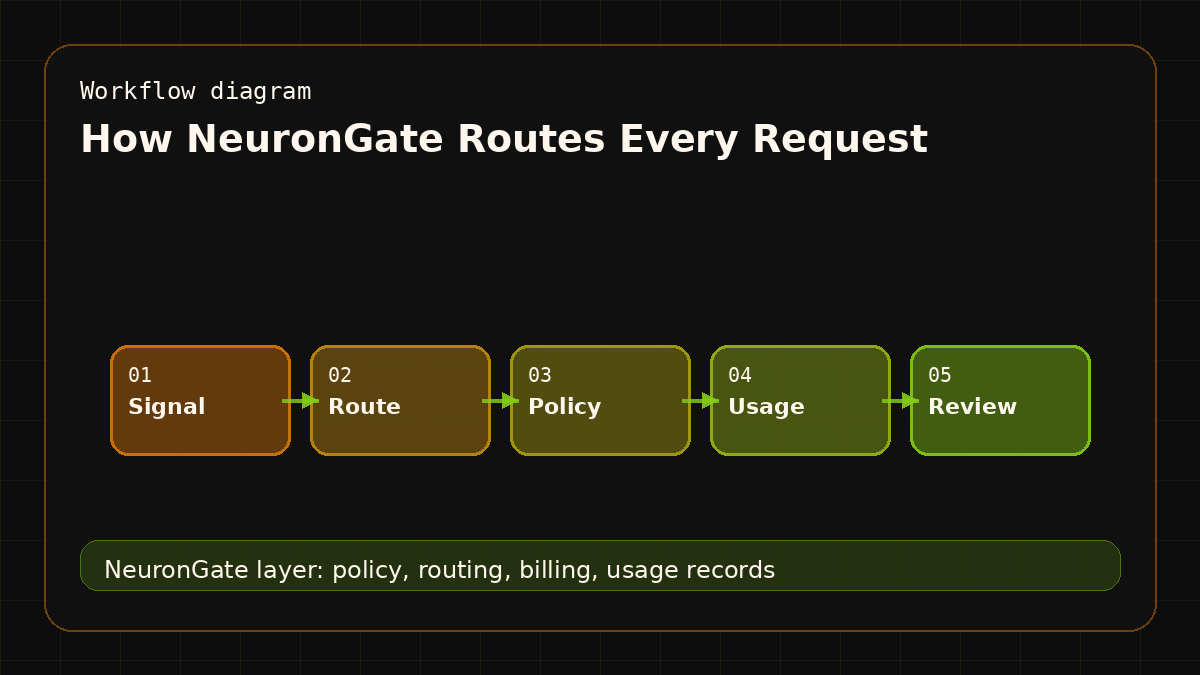
When you call POST /v1/chat/completions on NeuronGate, a small but specific sequence of operations happens before your prompt ever reaches a model. This post walks through that sequence, not to impress you, but because understanding the path helps you reason about latency, errors, and billing.
The Pipeline in One Diagram
Client → Nginx → FastAPI auth middleware
              → balance reservation
              → upstream dispatch (OpenRouter)
              → streaming proxy
              → settlement (actual cost deducted)
Each arrow is a distinct step with its own failure modes. Let's go through them.
Step 1: Nginx Terminates TLS and Rate-Limits
Every request hits Nginx first. Nginx terminates TLS, applies gzip, and enforces per-IP connection limits before the request even reaches Python. This is cheap protection, it filters obviously malformed traffic without spending FastAPI cycles on it.
Nginx then proxies to FastAPI on the internal Docker network. The client never talks directly to the application server.
Step 2: Auth Middleware Validates the API Key
FastAPI's first middleware layer pulls the Authorization: Bearer header and hashes the key with SHA-256. That hash is looked up in the api_keys table.
key_hash = hashlib.sha256(raw_key.encode()).hexdigest()
record = await db.execute(
    select(APIKey).where(
        APIKey.key_hash == key_hash,
        APIKey.is_active == True
    )
)
If the key doesn't exist or is revoked, the request stops here with a 401. No balance is touched.
If the key has a model allowlist configured, the requested model is validated against it now. Requesting a model not on your allowlist returns a 403. See the API key settings to configure per-key model access.
Step 3: Balance Reservation
Before we forward the request, we reserve an estimated cost. This prevents concurrent requests from overdrawing a balance.
UPDATE users
SET balance_reserved_usd = balance_reserved_usd + :estimate
WHERE id = :user_id
  AND (balance_usd - balance_reserved_usd) >= :estimate
RETURNING balance_usd, balance_reserved_usd;
The estimate is based on the model's max context window and our per-token pricing. It's intentionally conservative, we'd rather over-reserve than under-reserve.
If this UPDATE returns zero rows, the user has insufficient available balance and we return a 402 immediately. No upstream call is made; no credits are spent.
Step 4: Upstream Dispatch to OpenRouter
With balance reserved, we forward the request to OpenRouter's /v1/chat/completions endpoint. We pass through the user's messages, model selection, and parameters. We do not pass through the user's NeuronGate key, we use our own OpenRouter key at the infra level.
Outbound headers are scrubbed: no Cookie, no X-Forwarded-For, no Referer. We add our own X-Request-Id for correlation.
headers = {
    "Authorization": f"Bearer {settings.OPENROUTER_API_KEY}",
    "X-Request-Id": request_id,
    "Content-Type": "application/json",
}
For non-streaming requests, we wait for the full response. For streaming requests (when the caller sets "stream": true), we proxy the SSE chunks back to the client as they arrive.
Step 5: Settlement
Once OpenRouter responds (or when the stream completes), we receive the actual token usage in the response body. OpenRouter surfaces this via usage.prompt_tokens and usage.completion_tokens.
We then:
- Calculate the exact cost at our published per-token rate for that model
- Deduct the exact cost from
balance_usd - Release the reservation from
balance_reserved_usd - Write a row to
usage_logswith model, tokens, cost, latency, and request_id
actual_cost = (prompt_tokens * prompt_rate) + (completion_tokens * completion_rate)
await db.execute(
    update(User)
    .where(User.id == user_id)
    .values(
        balance_usd=User.balance_usd - actual_cost,
        balance_reserved_usd=User.balance_reserved_usd - estimate,
    )
)
The net effect: your balance decreases by the actual cost, not the estimate. If the estimate was higher, the difference is released back to your available balance.
What Happens on Errors
OpenRouter returns a 5xx: We release the reservation, log the error, and return a 502 to the client. Your balance is unchanged.
Stream aborts mid-response: We settle for whatever tokens were consumed up to that point. If we can't determine usage (no usage metadata in the partial stream), we settle for the full estimate. This is a known limitation we're working to improve in a future release.
NeuronGate process crashes: The reservation stays locked for up to 24 hours, then expires. Your effective available balance is temporarily reduced, but no money is lost. The usage_logs row may be missing for that request.
What This Means for You
The reserve → settle pattern means:
- Concurrent requests are safe. Each request reserves before dispatching, so two requests can't both see the same balance and both proceed.
- Exact cost is what you pay. The estimate is internal accounting. Your invoice shows actual token counts.
- Failures don't cost you money. If OpenRouter is down, your reservation is released. You only pay for successful completions.
You can inspect every settled request in the console under usage history. Each row has the model, token counts, cost, and timestamp.
For a deeper look at which models are available and their per-token rates, see the model catalogue. If you want to start routing requests, the docs cover authentication setup end-to-end.
Conversion angle
The reader for this article is usually past curiosity. They are trying to ship an AI feature, reduce provider sprawl, avoid surprise invoices, or give customers cleaner usage history. The marketing job is to show that NeuronGate solves those operational problems without adding another complicated workflow.
That means the article should connect product value to engineering detail. One API is useful because it reduces integration work. A funded balance is useful because it controls spend. A model catalog is useful because teams can change routes without changing every client.
Buyer checklist
- Do you need more than one model provider?
- Do customers need usage history or invoices?
- Do internal agents need separate keys from production apps?
- Do you want crypto-funded AI access without subscription procurement?
- Do you need a public model catalog and docs that Google can index?
FAQ
Who is NeuronGate best for?
NeuronGate is best for teams building AI products that need model choice, usage-based billing, customer balances, and operational logs. It is especially useful when the team wants OpenAI-compatible access without being locked into one provider route.
What should a buyer do after reading?
A buyer should compare the model catalog, read the integration docs, and test one non-critical workflow through NeuronGate. That gives them cost and route visibility before moving important traffic.
Buyer context for April 2026
How NeuronGate Routes Every Request matters because buyers do not usually ask for a gateway in abstract terms. They ask why their AI spend is unclear, why one model change touches five codebases, why customer usage reports are late, or why procurement blocks a test that engineering could finish in an afternoon. This article connects that buyer pain to catalog design, migration planning, and fallback ladders.
The risk is that model metadata lives in code comments while pricing, aliases, and status change in production. NeuronGate is positioned around the opposite pattern: one OpenAI-compatible API, one funded balance, one model catalog, one usage history, and route policy that operators can explain. The API infrastructure owner can review catalog freshness, fallback usage, migration error rate, latency by tier, and unsupported model requests without waiting for every application team to export its own logs.
NeuronGate marketing fit
This is the kind of article that should convert a high-intent reader. The reader already knows models are changing quickly. The marketing job is to show that NeuronGate makes that change adoptable: start with one internal key, prove the route, keep billing visible, then widen access only when the evidence supports it.
The page should not read like a slogan. It should show the route, the buyer problem, the operational evidence, and the next action. That is what makes a marketing article useful enough to index. Use the model catalog to compare route availability, use the docs to test the API, and use the articles archive when you need more model and infrastructure context.