Tutorial: Create AI Usage Exports Finance Can Trust
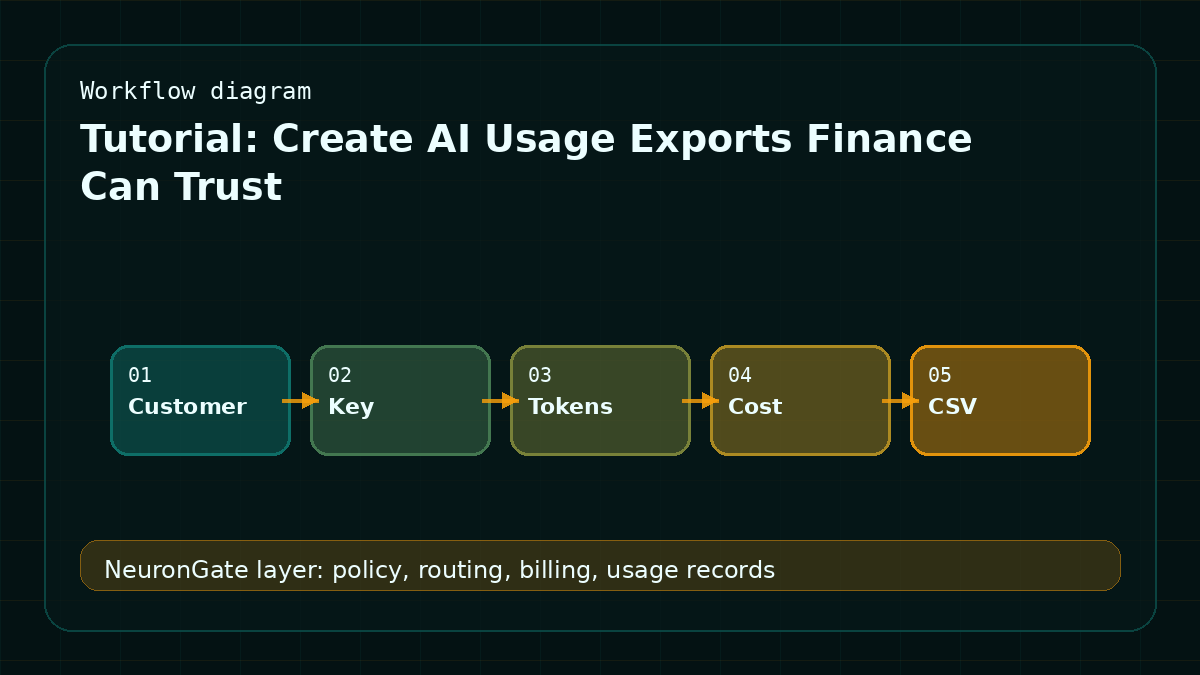
Finance needs usage exports that reconcile with customer balances and provider bills. In November 2025, this mattered because year-end review exposes missing usage dimensions that support teams could ignore during pilots. The practical response was simple: export customer id, api key, route, provider, tokens, cost, status, and timestamp with enough filters to answer disputes.
What you are building
This guide turns the routing problem into an implementation checklist. The goal is not to chase every new model announcement. The goal is to make sure the application can make a clear decision before the provider call starts, and can explain the result after the call finishes.
Step 1: Define the route contract
Write down the request type, allowed models, maximum expected cost, latency target, and fallback behavior. A route contract should be short enough for a product owner to review, but specific enough for engineering to enforce. If the route can call tools or use long context, make that visible in the contract instead of hiding it in application code.
Step 2: Add controls before dispatch
Before dispatch, check API key status, model allowlist, balance, estimated cost, request class, and current route health. This is where many AI products fail: they trust the client request and discover the billing problem only after the provider has already answered.
Step 3: Settle and review
After completion, store model ID, provider, final status, latency, tokens when available, estimated cost, settled cost, and the route decision. Review the records weekly during rollout and monthly after the route stabilizes. Use the model catalog to compare available routes and pricing; use the docs to start integration work; use the routing guide to see the request path end to end.
NeuronGate angle
NeuronGate records the data needed for both customer-facing history and internal reconciliation. That keeps the tutorial pattern repeatable: product teams can add new AI features without reimplementing auth, balance checks, model policy, and usage history every time.
Acceptance criteria
A tutorial is only useful when a team can tell whether implementation is complete. For this topic, the acceptance test is direct: a request should be accepted, rejected, routed, or queued for a reason the operator can see later. The customer should not need to guess why a model was used or why a balance changed.
Before shipping, run the same request through a normal account, a low-balance account, a blocked-model account, and a high-latency provider state. Each path should produce a clear outcome. The result should appear in usage history with the same route name that appears in the model catalog.
Operational checklist
- Create one test key for the tutorial workflow and keep it separate from customer keys.
- Confirm the model allowlist rejects unapproved routes before provider dispatch.
- Reserve balance before the request starts and release unused reserve after settlement.
- Store enough route metadata to debug support tickets without exposing prompt content.
- Link the public docs page, the model catalog page, and the related article from this post.
FAQ
Should this tutorial be implemented in the app or the gateway?
The application should own product-specific decisions, but the gateway should own model policy, balance checks, route health, and usage settlement. Keeping that split avoids duplicate billing logic across services.
What should be measured first?
Start with accepted requests, rejected requests, fallback count, settled cost, and p95 latency. Those five numbers catch most early rollout problems before they become customer complaints.
Implementation detail for November 2025
A useful create ai usage exports finance can trust starts with a small written contract. Name the workload, the current model, the candidate route, the maximum acceptable cost, the expected latency band, the owner, and the rollback route. That contract should live beside the implementation, because it is the thing future operators need when a provider changes behavior. For this tutorial, the central concern is finance-ready usage records, spend controls, and procurement clarity. The failure mode to avoid is that AI cost becomes a shared invoice nobody can allocate to teams, customers, or product features.
Treat the tutorial as a production exercise, not a lab note. Run it first on representative prompts, then on one low-risk internal key, then on a narrow customer cohort. The finance operations owner should review settled cost by key, reserved-versus-actual cost, export freshness, invoice variance, and cap hit rate before the route is widened. The common mistake is waiting until month end to discover which route created the bill.
Copy this into your rollout note
- Decision: Create AI Usage Exports Finance Can Trust.
- Time context: November 2025, based on NeuronGate API documentation and How NeuronGate routes every request.
- Owner: finance operations owner.
- Guardrail: no global default change until cost, latency, and rollback are measured.
- Evidence: keep usage records tied to customer key, model ID, provider route, and final status.
The final review should include one success path, one rejection path, one degraded provider path, and one rollback path. That keeps the tutorial grounded in production behavior instead of screenshots. A practical next step is to compare routes in the model catalog, wire one request through the docs, then review the request path in the routing guide.